Build a Dinosaur How to Execute Scripts Safely-ish
Harm-reduction steps—not a promise that scripting is safe or allowed.
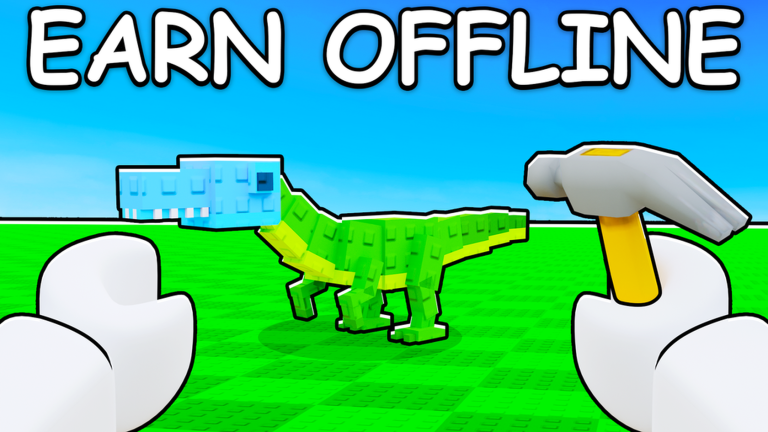
This guide explains how people typically execute scripts in Roblox experiences such as Build a Dinosaur, with emphasis on harm reduction. Safe here means “less catastrophic,” not “approved.” Injecting code can break Roblox rules and may ban the account you use for Pixel Gold Games’ tycoon. If that risk is unacceptable, skip executors entirely and play the intended loop: Buy Dino Parts → Build a custom dino → Generate Cash (offline too) → Protect your base → Rebirth.
For category context, open the Scripts Hub. For the utility hub loadstring and feature notes, see Auto Farm Hub Script. For free Cash without injectors, use the Codes Hub.
Mindset before any install
Ask three questions:
- Am I willing to lose this account forever?
- Does this PC profile store main-account cookies or payment methods?
- Am I being rushed by a stranger who benefits if I click Install?
If any answer is uncomfortable, stop. Build a Dinosaur supports up to six players and rewards patience with offline Cash. You do not need scripts to complete the fantasy of assembling dinosaurs.
Harm-reduction checklist
- Prefer a throwaway account. No Robux spent, no Premium, no limiteds, no linked phone you cannot recover.
- Isolate the device profile. Separate Windows users or a locked-down VM beat running cheats beside your homework browser.
- Download executors only from sources you independently verify. Random video descriptions are advertising, not vetting.
- Scan files with updated antivirus before running anything new.
- Disable savings habits on that account. Do not buy x2 Storage (299 R$), x2 Cash (299 R$), or Premium Pass (1,299 R$) on a scripting alt you expect to burn.
- Read the script when possible. Obfuscated walls of garbage with sudden
HttpGetchains deserve extra skepticism. - Use one loadstring at a time. Stacking hubs multiplies crash and detection risk.
- Keep Discord offline while testing so token-stealer payloads have less to grab from open clients.
- Change passwords if anything feels off after a session—Roblox, email, and Discord.
- Stop after weird kicks. Repeated instant leaves can mean you are already flagged.
Typical execute flow (generic)
Exact buttons differ by executor brand, but the pattern is similar:
- Fully close Roblox.
- Launch the executor and wait until it reports attached or ready.
- Start Roblox and join Build a Dinosaur.
- Wait until the experience finishes loading Store UI and your dinosaur base.
- Paste a single script or loadstring into the executor panel.
- Execute once; wait for the hub UI instead of mashing keys.
- Enable only the features you understand (for utility hubs: walkspeed, noclip, and similar toggles).
- Leave the server cleanly when done; do not alt-tab into banking sites on the same profile.
Example utility hub string documented on this wiki:
loadstring(game:HttpGet("https://koronis.xyz/hub.lua"))()Remote files can change. Re-check the Auto Farm Hub Script page notes and your own comfort level each time.
Red flags that mean abort
- Executor asks for your Roblox password inside a fake login window.
- Script requires you to join a “verify” group that taxes Robux.
- Loadstring URL is misspelled or uses a brand-new shortener.
- Friend replica accounts suddenly message you the same file.
- PC fans spike and unknown processes start while Roblox is closed.
- Hub promises automatic redemption of
Dinoorfartcode. Those belong in Exclusive Store only and are Expired / Unverified as of mid-2026—see How to Redeem Codes and Codes Not Working.
What scripting cannot ethically replace
Scripts cannot honestly replace learning part value, base defense, or Rebirth timing. Double-click deletion of dino parts remains a useful official control when you misbuy. Offline Cash remains the designed anti-grind valve. Guides on the Guides Hub teach those systems without injecting code.
After-care if you ran something sketchy
- Log out of Roblox everywhere you can.
- Change email and Roblox passwords from a clean device.
- Revoke unknown third-party app passwords.
- Run a full malware scan.
- Retire the throwaway account if it was exposed.
- Do not reuse the same password on your main.
Decision table
| Goal | Better path |
|---|---|
| Free Cash | Codes Hub + gameplay |
| Faster movement curiosity | Accept ban risk or skip |
| Learn the tycoon | Guides Hub |
| Understand hub features | Auto Farm Hub Script |
| Fix failed codes | Codes Not Working |
Closing reminder
Executing scripts in Build a Dinosaur is optional, contested, and dangerous to accounts. This page exists so curious players hurt themselves less—not so anyone feels encouraged. When the choice is close, choose the dinosaur builder as Pixel Gold Games shipped it: parts, Cash, base, Rebirth, and the occasional legitimate code through the Exclusive Store.
Frequently Asked Questions
Quick answers for Build a Dinosaur on Roblox.
Is there a truly safe way to execute scripts?
No. You can only reduce damage with throwaway accounts and careful downloads. Roblox may still ban scripting accounts.
Should I script on my main Build a Dinosaur account?
No. Keep mains clean—especially if you spent Robux on passes or care about long-term progress.
When do I paste the loadstring?
After the executor is ready and the game has fully loaded. Execute once, then wait for the hub UI.
What if a script asks for my password?
Abort immediately. Real executors do not need your Roblox password inside a fake prompt. Change credentials from a clean device if you already typed them.