Build a Dinosaur Guides Hub
Tycoon walkthroughs for Pixel Gold Games — from first parts to Rebirth.
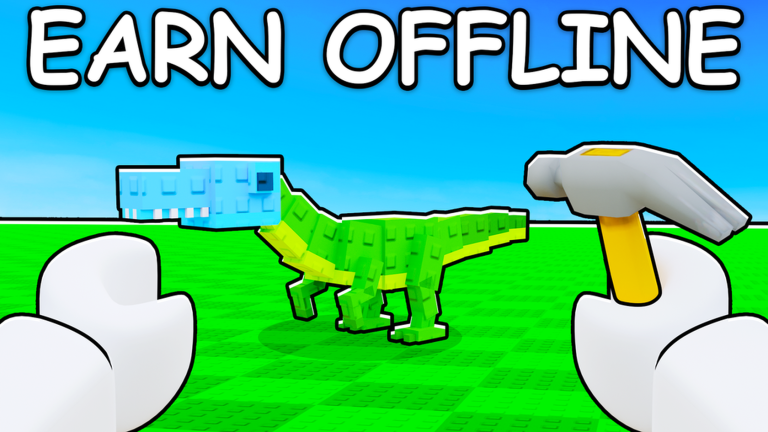
Welcome to the Build a Dinosaur guides hub. This Roblox tycoon from Pixel Gold Games (place 123213321254818, released 2025-07-26, up to 6 players per server) is about buying parts, assembling a custom dinosaur, earning Cash (including while offline), locking down your base, and hitting Rebirth when the timing is right. Use this page as your map into every how-to on the wiki.
If you just joined, start with Getting Started. If you already have a dino on the pad and want faster income, jump to Earn Cash Fast or Offline Earnings. Planning your first prestige? Read How to Rebirth. For layout and raids, open Build and Protect Base. For movement and the delete trick, keep Controls bookmarked. Want to avoid traps? Skim Common Mistakes. Curious about the D/I/N/O awards? See DINO Badges. Still deciding if the game fits you? Read Worth Playing.
Core loop at a glance
- Spend Cash on dinosaur parts in the shop.
- Place parts on your build pad to grow a stronger, cooler dino.
- Collect Cash over time — progress continues offline.
- Fortify your base so other players cannot wipe your work.
- Rebirth when multipliers outweigh the reset cost of starting a new climb.
That loop is simple on paper and deep in practice. Small mistakes — deleting the wrong part, leaving gaps in your base, or Rebirthing too early — slow you down for hours. These guides are written to cut that waste.
Guide index
| Guide | Best for |
|---|---|
| Getting Started | Day-one players and reset accounts |
| Earn Cash Fast | Offline income, shop priority, passes |
| How to Rebirth | When to prestige and what you keep |
| Build and Protect Base | Layout, defense, 6-player servers |
| Controls | Movement, shop, double-click delete |
| Offline Earnings | Logout prep, myths, protecting AFK Cash |
| DINO Badges | Easy D/I/N/O onboarding badges |
| Common Mistakes | Codes, pads, bases, early Rebirth, wrong game |
| Worth Playing | Honest review, co-op fit, popularity notes |
Related wiki hubs
Pair these tutorials with the rest of the site so you are not guessing at rewards or meta:
- Claim freebies on the Codes page — redeem in-game via Store → Exclusive Store (scroll to the bottom).
- Compare parts and priorities on the Tier List.
- Use calculators and helpers under Tools.
- Browse automation notes on Scripts if that is your playstyle (always follow Roblox rules).
- Track patches on Updates.
- Bookmark official and community destinations from the Links Hub.
How to use this hub in your first hour
Spend your first session on orientation, not perfection. Buy a starter set of parts, place them cleanly, and confirm Cash is ticking. Learn the double-click to delete rule early so you can fix placement mistakes without panic. Skim Controls once, then return to building. After you understand income, open Earn Cash Fast and decide whether x2 Cash, x2 Storage, or the Premium pass (~1299 Robux) fits your budget — the cheaper 299 Robux multipliers are the usual first purchases.
When your base feels crowded or rivals start probing, switch to Build and Protect Base. Protection is not optional in a six-player tycoon; a soft wall turns offline earnings into free losses for someone else. Only after Cash feels automatic should you study How to Rebirth and plan a prestige window.
What “good progress” looks like
You are on track if each session ends with a clearer build, a safer perimeter, and a higher Cash rate than the last. You are off track if you spam random parts, ignore the Exclusive Store codes, or Rebirth because a friend said so without checking your own income curve. This hub exists so every decision has a linked explanation.
Revisit these pages after major patches listed on Updates. Pixel Gold Games can retune shops, passes, and Rebirth math; when that happens we refresh the child guides first and keep this hub as the stable index.
Cross-links worth repeating
New players often bounce between codes, builds, and prestige questions. Keep these tabs open while you play:
- Codes for active rewards and redemption steps
- Tier List for part value ranking
- Tools for planning helpers
- Scripts for community tooling context
- Updates for patch notes
- Links Hub for official Roblox and social links
When you finish a guide, return here and pick the next gap in your knowledge. The fastest Build a Dinosaur accounts are not the ones that buy every part — they are the ones that follow a clean order: learn controls, earn Cash, secure the base, then Rebirth with intent.
Frequently Asked Questions
Quick answers for Build a Dinosaur on Roblox.
Which Build a Dinosaur guide should I read first?
Start with Getting Started, then Earn Cash Fast. Add Controls if placement or delete feels unclear, then base defense, then Rebirth.
Is Build a Dinosaur a Roblox tycoon?
Yes. It is a Pixel Gold Games tycoon simulator on Roblox (place 123213321254818) with up to six players, part building, Cash income, base defense, and Rebirth.
Where do codes and game passes fit into these guides?
Codes live on the Codes hub (Store → Exclusive Store bottom). Pass tips appear in Earn Cash Fast: x2 Storage and x2 Cash at 299 Robux, Premium around 1299 Robux.
Do these guides replace the tier list and tools pages?
No. Guides explain systems and order of play. Use the Tier List for rankings and Tools for helpers, then come back here for walkthroughs.